

Many Android users try to install the 3 Patti Sky APK and see a strange message called a “Parse Error.” This error stops the app from installing on your phone. It can feel confusing, especially if you are in a hurry to start playing. The good news is that this problem is very common, and it is easy to fix. In this guide, we will explain what a parse error means, why it happens, and how you can solve it in just a few simple steps.
What is “Parse Error” on Android?
A parse error is a message that shows up when your Android phone cannot read or understand an APK file. APK stands for Android Package. It is the file type used to install apps outside of the Google Play Store.
When you try to open or install an APK file, your phone checks the file first. If something is wrong with the file, or if your phone’s settings do not allow it, Android stops the installation. It then shows a message like “There was a problem parsing the package.”
This error usually appears in two situations:
- While you are installing the APK file for the first time
- While you are trying to update an older version of the app
Android shows this error to protect your phone. It does not want to install files that might be broken, unsafe, or built the wrong way. So, in a way, this error is a safety check built into your phone’s system.
Common Causes of 3 Patti Sky APK Parse Error
Before we jump into the fixes, it helps to know why this error happens. Here are the most common reasons:
1. Corrupted or Incomplete APK Download Sometimes the download stops before it finishes. This leaves you with a broken file. A broken file cannot be installed, and Android shows a parse error instead.
2. APK Not Compatible With Your Android Version Every app is built to work with certain Android versions. If your phone runs a very old or very new version of Android that the APK does not support, the installation may fail.
3. Unknown Sources Setting Is Turned Off Android blocks installations from outside the Play Store by default. If you have not allowed your phone to install apps from unknown sources, you will not be able to install the APK at all.
4. Low Storage Space If your phone does not have enough free storage, the installation process can fail partway through. This sometimes shows up as a parse error instead of a simple “not enough space” message.
5. Outdated Android Operating System Older phones that have not received software updates in a long time may struggle to read newer APK files correctly.
6. Google Play Protect Blocking the File Play Protect is a built-in security tool. It scans apps before they install. If it does not recognize the 3 Patti Sky APK, it may block the installation and cause an error.
How to Fix 3 Patti Sky APK Parse Error (Step-by-Step)
Now let’s go through each fix. Try them one at a time. Most users solve the problem within the first two or three steps.
Step 1: Enable Unknown Sources
This is the most common fix, and it solves the problem for most people right away.
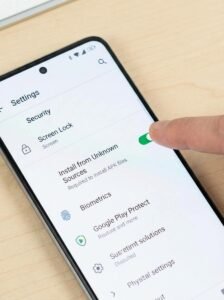
- Open Settings on your phone
- Tap Security (on some phones, this is called Apps & Notifications or Privacy)
- Find the option called Install Unknown Apps or Unknown Sources
- Turn the switch ON for your browser or file manager app
Once this setting is turned on, your phone will allow APK files to install from outside the Play Store.
Step 2: Check Android Version Compatibility
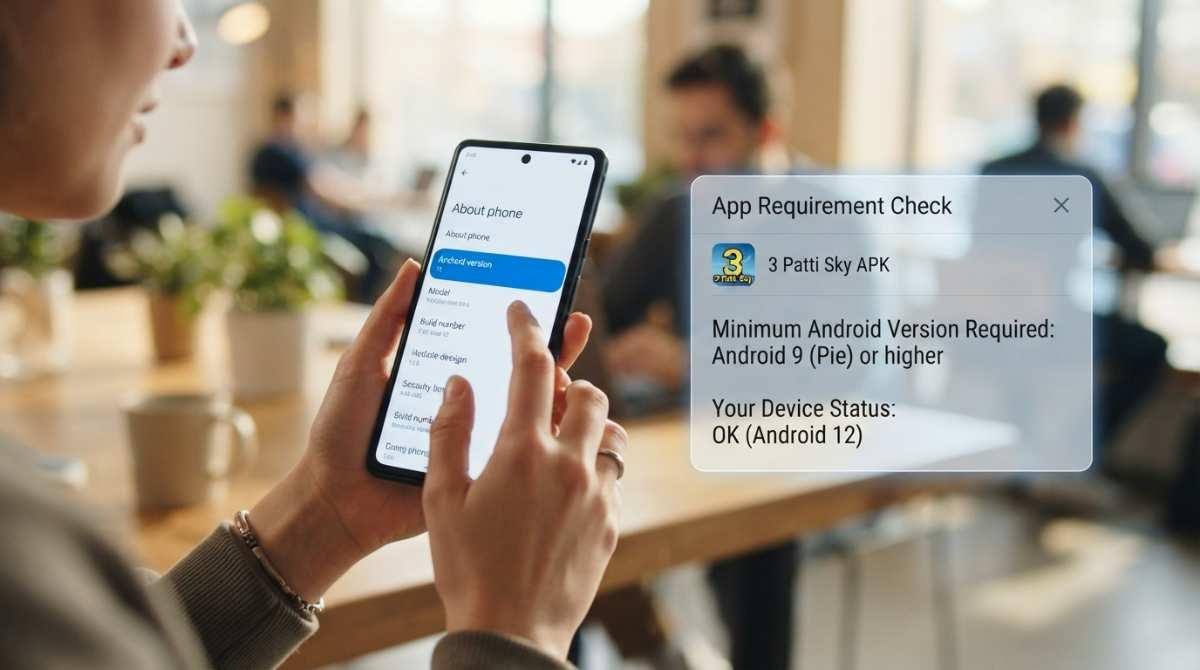
Next, make sure your phone’s Android version matches what the APK needs.
- Go to Settings
- Tap About Phone
- Look for Android Version
- Compare this number with the version required by the 3 Patti Sky APK
If your phone’s Android version is too old, check if a software update is available. Updating your phone can often solve compatibility problems.
Step 3: Re-download the APK File
A damaged download is one of the top reasons for a parse error.
- Delete the old APK file from your phone
- Make sure your internet connection is stable
- Download the APK again from 3pattiskyapp.com.pk
- Wait until the download bar shows 100% before opening the file
Downloading on Wi-Fi instead of mobile data can help avoid interruptions.
Step 4: Clear Package Installer Cache
Sometimes the app that handles installations gets stuck with old, broken data. Clearing its cache can fix this.
- Open Settings
- Tap Apps or Apps Management
- Find Package Installer
- Tap Storage
- Tap Clear Cache
After this, try installing the APK again.
Step 5: Disable Play Protect (Temporarily)
Google Play Protect sometimes blocks apps it does not recognize, even if the app is safe.
- Open the Google Play Store app
- Tap your profile icon in the top right corner
- Tap Play Protect
- Tap the Settings gear icon
- Turn off Scan Apps With Play Protect
Install the APK file now. Once it is installed, you can turn Play Protect back on for normal phone protection.
Step 6: Free Up Storage Space
Low storage can quietly cause installation problems.
- Go to Settings
- Tap Storage
- Check how much free space is left
- Delete old photos, videos, or apps you no longer use
Try to keep at least 1 GB of free space before installing any new APK file.
Additional Tips to Avoid Parse Error
Once you fix the error, follow these tips to avoid running into it again:
- Always download the latest version of the APK file
- Avoid using modified, cracked, or unofficial copies of the app
- Keep your phone’s Android software updated
- Only download APK files from websites you trust
- Restart your phone after installing new apps to help everything run smoothly
Following these habits will save you time and keep your phone running without errors.
Is 3 Patti Sky APK Safe to Install?
A common question users ask is whether it is safe to install an APK file that does not come from the Google Play Store. Here is what you should know:
- Only download the APK from a source you trust
- Fake or copied APK files can sometimes carry unwanted software
- Check reviews or user feedback before downloading
- If your phone has antivirus software, scan the file before opening it
- Never enter personal information into an app you are not sure about
Taking a few extra minutes to check the source of your download can protect your phone and your personal data.
Conclusion
A parse error can be frustrating, but it is almost always easy to fix. In most cases, simply turning on Unknown Sources or re-downloading the APK file will solve the problem. If the error continues, try clearing your Package Installer cache or freeing up storage space. By following the steps in this guide, you should be able to install the 3 Patti Sky APK without any trouble. Always remember to download apps from trusted sources to keep your device safe.
Frequently Asked Questions
What does parse error mean on Android?
A parse error means your phone is unable to read or install the APK file. This usually happens because of a damaged file, an outdated Android version, or blocked settings on your phone.
Why is my APK not installing?
Your APK may not install because of a corrupted download, low phone storage, an old Android version, or because the Unknown Sources setting is turned off.
How do I fix APK parsing error quickly?
Turn on Unknown Sources in your phone settings, download the APK file again from a trusted site, clear the Package Installer cache, and make sure you have enough free storage before installing.
Do I need to turn off my antivirus to install the APK?
No, you do not need to turn off your antivirus. You may only need to temporarily turn off Google Play Protect, then turn it back on after installation.
Is it normal for Android to show a warning before installing an APK?
Yes, this is normal. Android shows a warning for any app installed outside the Play Store. This is a safety feature, not a sign that the file is unsafe.